
Download Blend AI Background Eraser – AI Photo Editor, Graphic Designer, Poster Maker
Overview
Blend AI Background Eraser is a free-to-download mobile application designed for digital creators, small businesses, and online sellers seeking a powerful yet accessible tool for graphic design and photo editing. The app leverages artificial intelligence to automate complex tasks such as background removal, contextual background matching, and the integration of marketing copy, stickers, and GIFs into visual content. Its primary purpose is to streamline the creation of professional-grade product photos, social media stories, and promotional posters—tasks often time-consuming and technically demanding without specialized software.
Target users include e-commerce entrepreneurs managing product catalogs for platforms like Shopify, eBay, or Amazon; social media influencers crafting engaging content for Instagram, TikTok, or YouTube; and independent designers needing quick, high-quality visuals. The app addresses common pain points in digital content creation, such as inconsistent background styles, lengthy editing processes, and the need for professional-grade design tools without steep learning curves.
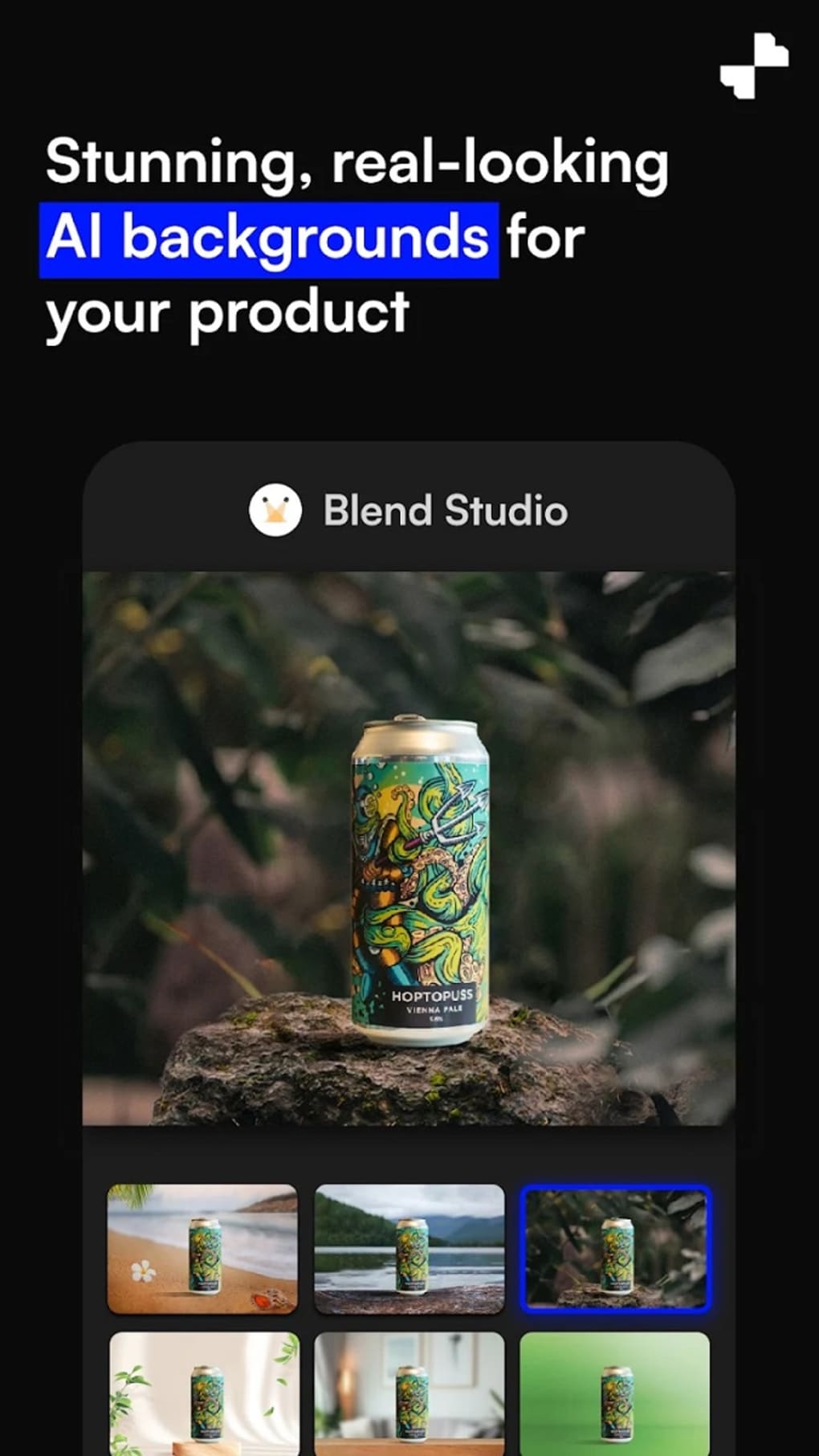
Blend also offers a unique feature through Blend Studio, allowing users to generate AI-created backgrounds with realistic lighting and shadows in under 30 seconds. This capability enhances product presentation and helps content stand out in competitive digital environments. While the developer did not provide additional technical details, the app’s focus on accessibility and speed suggests a strong alignment with modern mobile-first content creation trends.
Key Features & Functionality
- AI-Powered Background Removal: Automatically detects and removes backgrounds from product photos with high accuracy, reducing manual effort and editing time.
- Contextual Background Matching: Applies backgrounds that match the lighting, shadows, and perspective of the subject for a natural, professional look.
- Blend Studio – AI-Generated Backgrounds: Creates custom, photorealistic backgrounds with tailored lighting and depth in under 30 seconds.
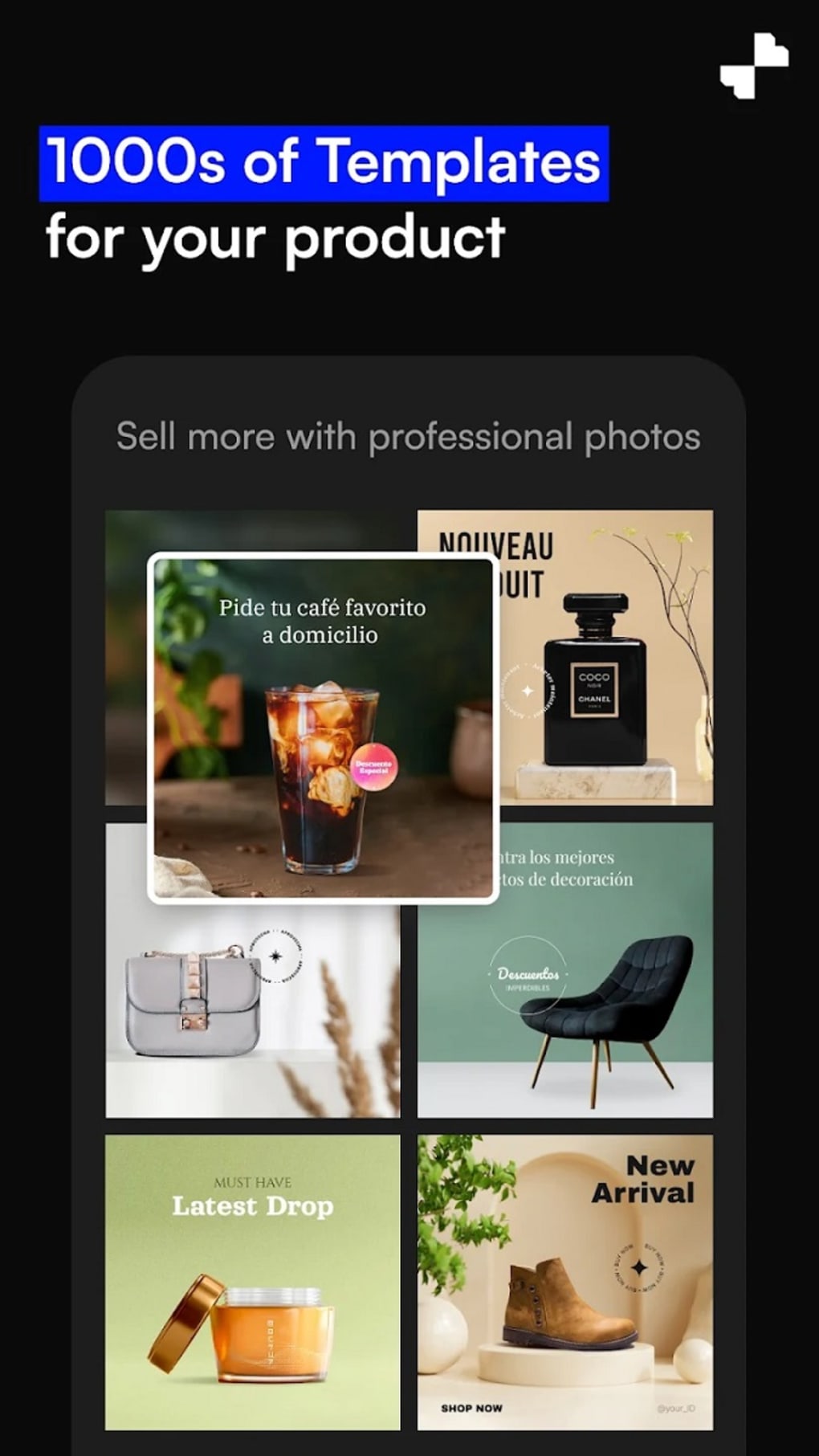
- Template Library: Offers over 100,000 pre-designed templates for posters, stories, and profile pictures, enabling rapid content creation.
- Bulk Editing Mode: Allows simultaneous editing of multiple images, ideal for e-commerce users managing large product catalogs.
- Marketing Elements Integration: Supports adding text, stickers, and GIFs to enhance visual appeal and convey messaging.
- Background Variety: Provides options ranging from classic white and black to vibrant green and dynamic gradients.
For example, an online seller can use the bulk editing function to process 50 product images in minutes, applying consistent backgrounds and adding promotional text. A social media influencer might generate a custom AI background using Blend Studio and overlay a trending GIF to boost engagement. These features collectively reduce the time required to produce polished visuals, making the app a valuable utility for content creators across industries.
Interface, UX & Performance
The app features a clean, intuitive interface optimized for mobile use, with a logical layout that prioritizes key tools on the main screen. Navigation is streamlined through a bottom tab bar, allowing quick access to editing, templates, and settings. Visual feedback during background removal and template application enhances user confidence in the editing process.
Although the developer did not list formal performance metrics, the app appears to maintain responsiveness across a range of device categories, including mid-tier and high-end smartphones. Users can expect smooth transitions between editing steps, with minimal lag during image processing. However, there have been occasional reports of glitches with the Edit Cutout feature, particularly when manual adjustments are made and not saved correctly. These issues may lead to unintended data loss or require re-editing, potentially disrupting workflow.
Stability during extended use has not been fully disclosed, but the overall experience suggests a focus on usability over raw performance. The app’s design emphasizes speed and simplicity, which benefits users who prioritize quick results over advanced customization. For those needing consistent reliability, occasional troubleshooting may be necessary.
Platform Compatibility & Technical Requirements
Blend AI Background Eraser is available on both Android and iOS platforms. The app supports the latest versions of these operating systems, though specific minimum OS requirements were not listed by the developer. The file size is approximately 120 MB, making it suitable for devices with moderate storage capacity.
Users should ensure their device meets standard requirements for running modern mobile applications, including sufficient RAM and processing power. Compatibility information was not fully disclosed, so users are advised to check their device specifications before downloading. The app is designed for smartphones and tablets, with no indication of desktop or web-based versions.
Pros and Cons
Pros
- Free-to-download with no hidden costs
- AI-powered background removal for fast, accurate editing
- Large library of over 100,000 templates for rapid design creation
- Bulk editing functionality for efficient e-commerce workflows
- Blend Studio enables quick generation of realistic AI backgrounds
- User-friendly interface suitable for beginners and professionals
Cons
- Occasional glitches reported with the Edit Cutout feature
- Manual edits may not save properly in some instances
- Specific technical requirements not disclosed
- Performance on older devices not confirmed
- Limited information on update frequency and support
FAQ
Is Blend AI Background Eraser free to download and use?
Yes, the app is free to download and use. Additional features or premium content may be available through in-app purchases, though specific pricing details were not provided.
Can I use Blend on both Android and iOS devices?
Yes, the app is available for both Android and iOS platforms. No web or desktop version has been announced.
How long does it take to generate an AI background in Blend Studio?
According to the app’s description, users can generate a custom, photorealistic background in under 30 seconds.
Does the app support bulk editing of images?
Yes, the app includes a bulk editing feature that allows users to process multiple photos simultaneously, ideal for e-commerce content creation.
Are there any known issues with saving edits?
Some users have reported that manual edits made during the Edit Cutout process may not save correctly. The developer has not issued a public statement on this matter.
Final Thoughts
Blend AI Background Eraser stands out as a versatile mobile tool that combines AI-driven editing with a rich design ecosystem. Its ability to automate background removal, generate realistic AI backgrounds, and provide a vast template library makes it a strong choice for creators, resellers, and small businesses. While minor technical issues have been reported, particularly around edit persistence, the app’s core functionality remains robust and efficient.
For individuals and teams focused on fast, professional-quality content creation, this app offers significant value. Whether you're preparing product photos for e-commerce or crafting eye-catching social media stories, Blend delivers a streamlined experience that aligns with modern digital demands.
Download Blend AI Background Eraser now and start creating stunning visuals with ease.







